Everything included
Built around how tow companies actually work
Every feature below comes with the $50 plan. Nothing is held back for a bigger tier.
Dispatch
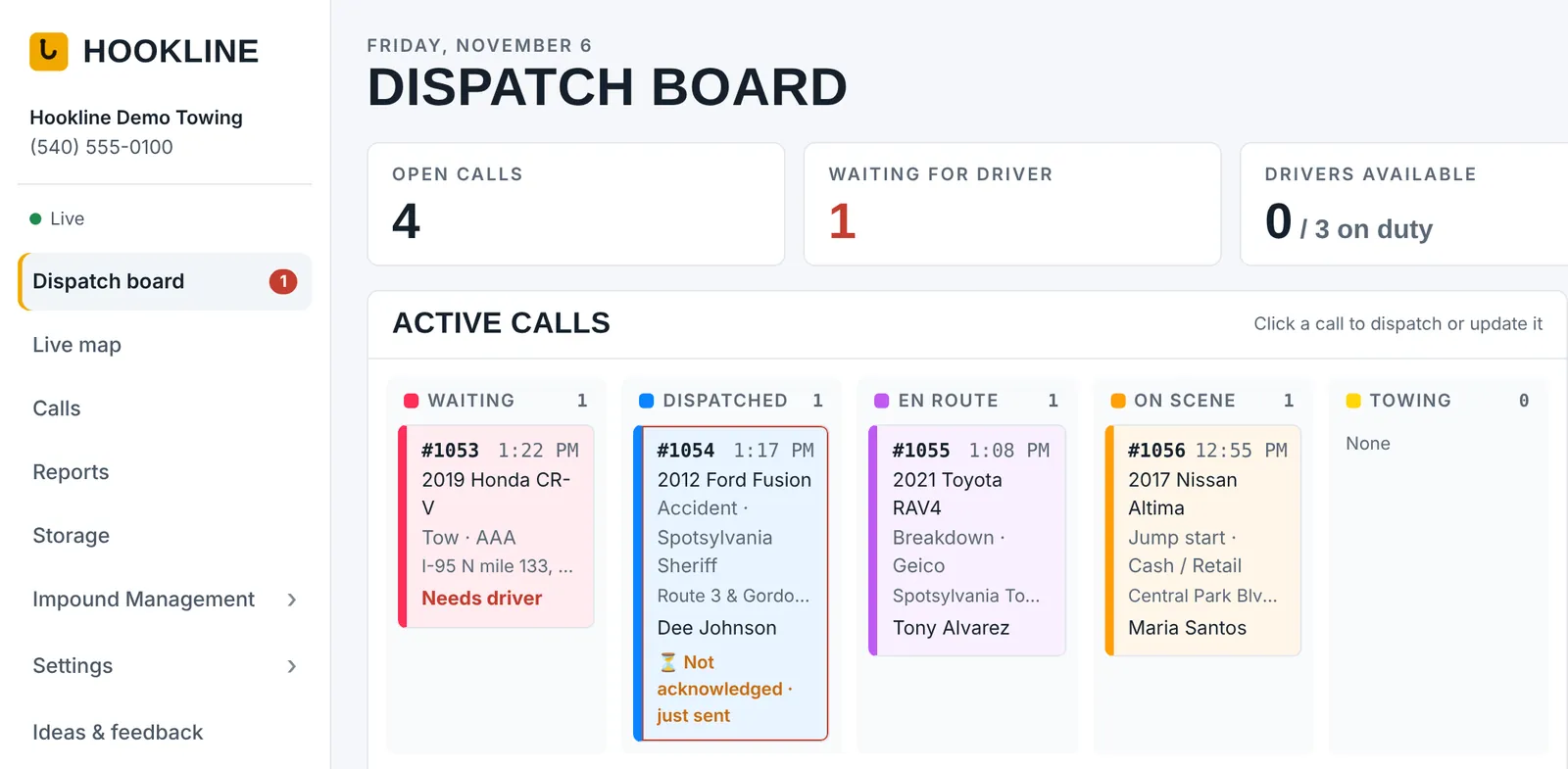
See every call at a glance
- Live board with bright status columns: waiting, dispatched, en route, on scene, towing
- Live map of every truck and active call, with GPS and lines to each job
- Nearest available driver suggested on every call
- Know the driver got the call: see "Got it" and how fast they answered, with an alert when a driver hasn't acknowledged in time, and a driver response report for every driver
- Address suggestions as you type, rush/priority flags, PO numbers
- Email jobs straight to the board: your own Hookline address for motor clubs and accounts. Each emailed job becomes a call automatically, with the PO, vehicle and addresses filled in
- Customer tracking link: text the customer a live map of the truck on the way, with an arrival estimate
- Motor club digital dispatch (Agero, Allstate, Urgently and more) Coming soon
- Pick up from or drop off at your own lot in one click, and pull a stored car's details into the call
- Full call timeline with GPS-stamped status changes
- Filter calls by date, driver, account, service and payment status; print or export
Rates & billing
Every account priced its own way
- Accounts for motor clubs, police, insurance, dealers and cash
- PO-required accounts, payment terms, tax-exempt accounts
- Required info per account: VIN, odometer, plate, photos, signature, miles, insurance. Drivers can't leave the scene or close the job until it's captured
- En route, loaded and deadhead miles, each with free miles
- Or port-to-port mileage at one rate
- Light, medium and heavy duty rate sheets
- Winching per foot with free feet, labor, wait time
- Your own services list, with per-account prices
- Itemized charges that price themselves; hand edits are never overwritten
- Bill to the account, the vehicle owner, or their insurer
- Mileage estimated from your yard in one click
Driver app
Everything the driver needs
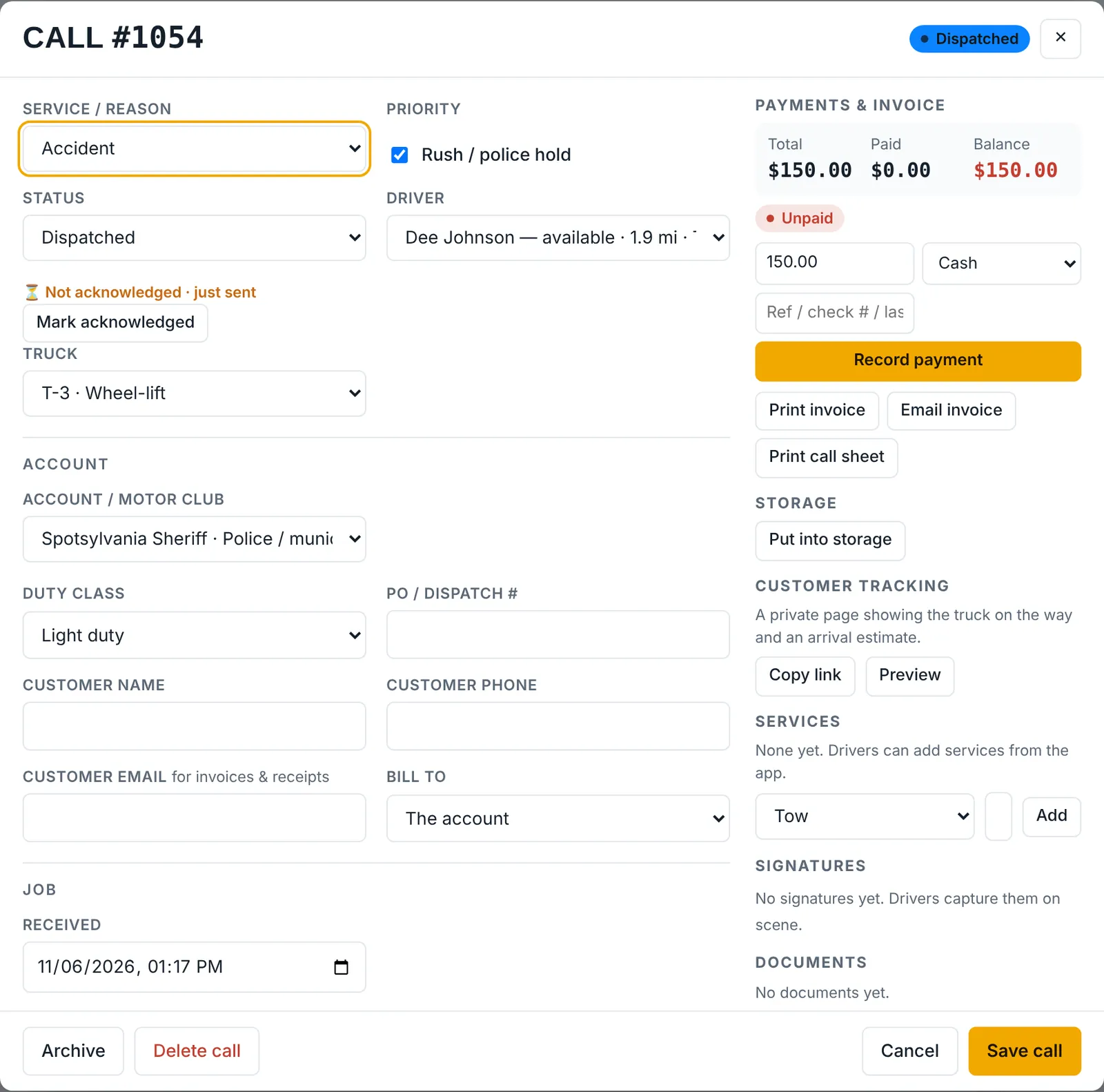
- Installs from the browser on iPhone or Android, with a clean, card-style design and big buttons that work in light or dark mode
- Jobs, Map, Property and Me tabs: today's stats up top, new calls first, every job one tap away
- Shows exactly what each account requires on every job, with a checklist so nothing gets missed on scene
- Rings for every new call, even when the phone is locked, and keeps reminding until the driver taps Got it
- Phone setup check: drivers can't go on duty until alerts, location and sound are working, with step-by-step fixes for iPhone and Android
- One-tap statuses and turn-by-turn navigation
- Text the customer your ETA with a tracking link, in one tap
- On-scene checklist: vehicle, customer, photos, signature, services, miles
- VIN barcode scanner with automatic year, make and model
- License plate → VIN lookup Coming soon
- Photos, notes, and services performed (no prices shown)
- “Stored at our lot” finish with space and keys
- My pay: this pay period's calls, hours and extras, and how each call's pay was figured
Storage
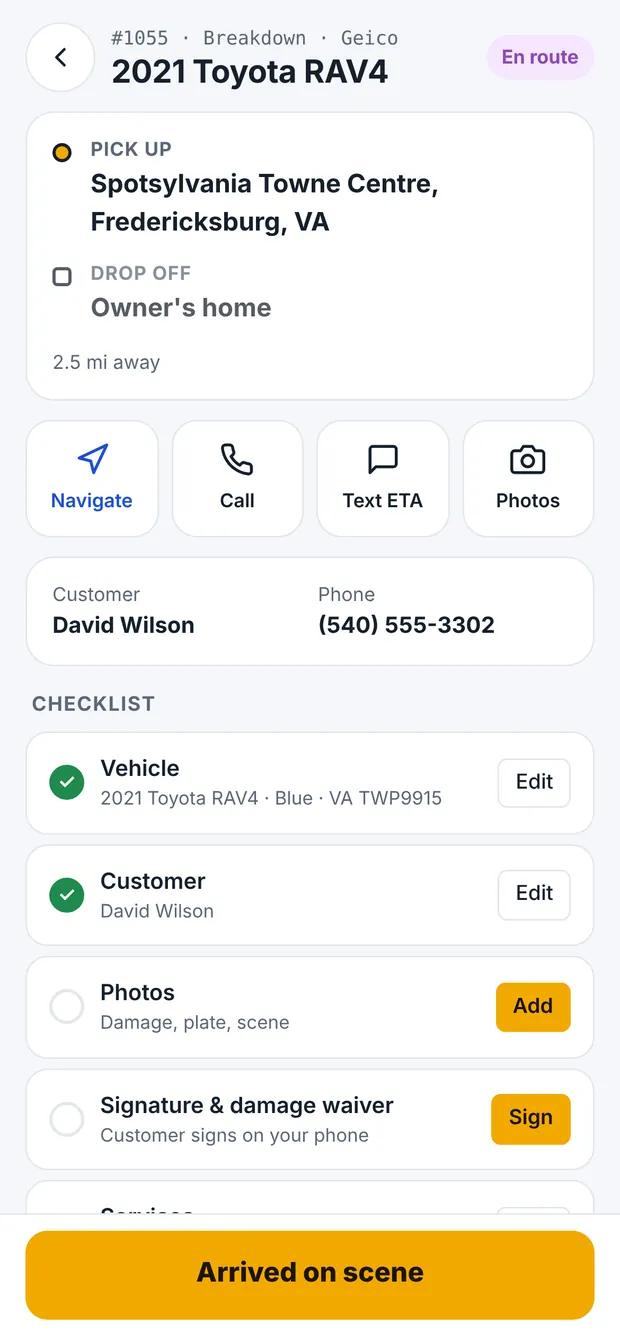
Your impound lot, handled
- Lots by state and county
- Storage rates by state, county, account and duty class
- Free hours, per calendar day or per 24 hours
- Admin and after-hours release fees
- Fees that add themselves by days stored, like an admin fee on day 4 or a lien fee on day 30
- Holds that block release, ID-checked releases
- Running charges on every vehicle, plus documents (title, hold and release forms)
- Auction stage: owner lookup, certified notices, title, auction date, then record the sale
- One-click letters: owner, lienholder and final notices with itemized charges and the sale date
- Your state's DMV forms filled in for you: upload the fillable PDF once
Impounds
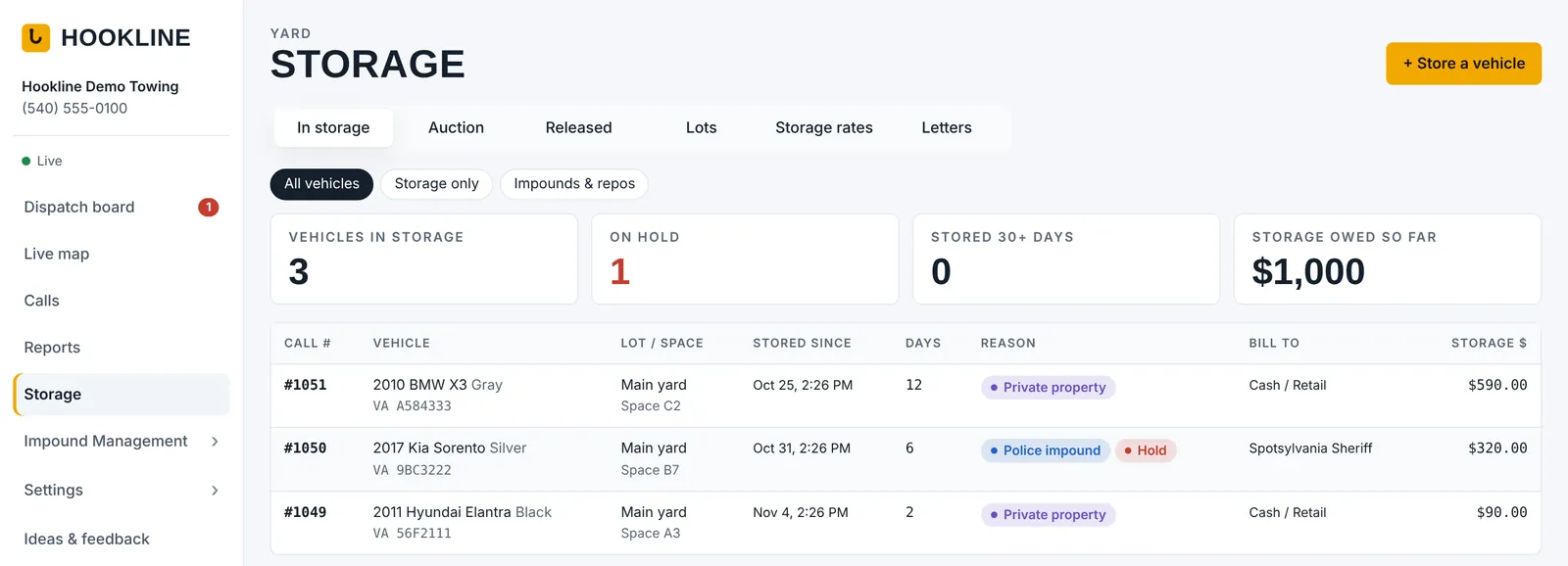
Police, private property and every vehicle in your lot
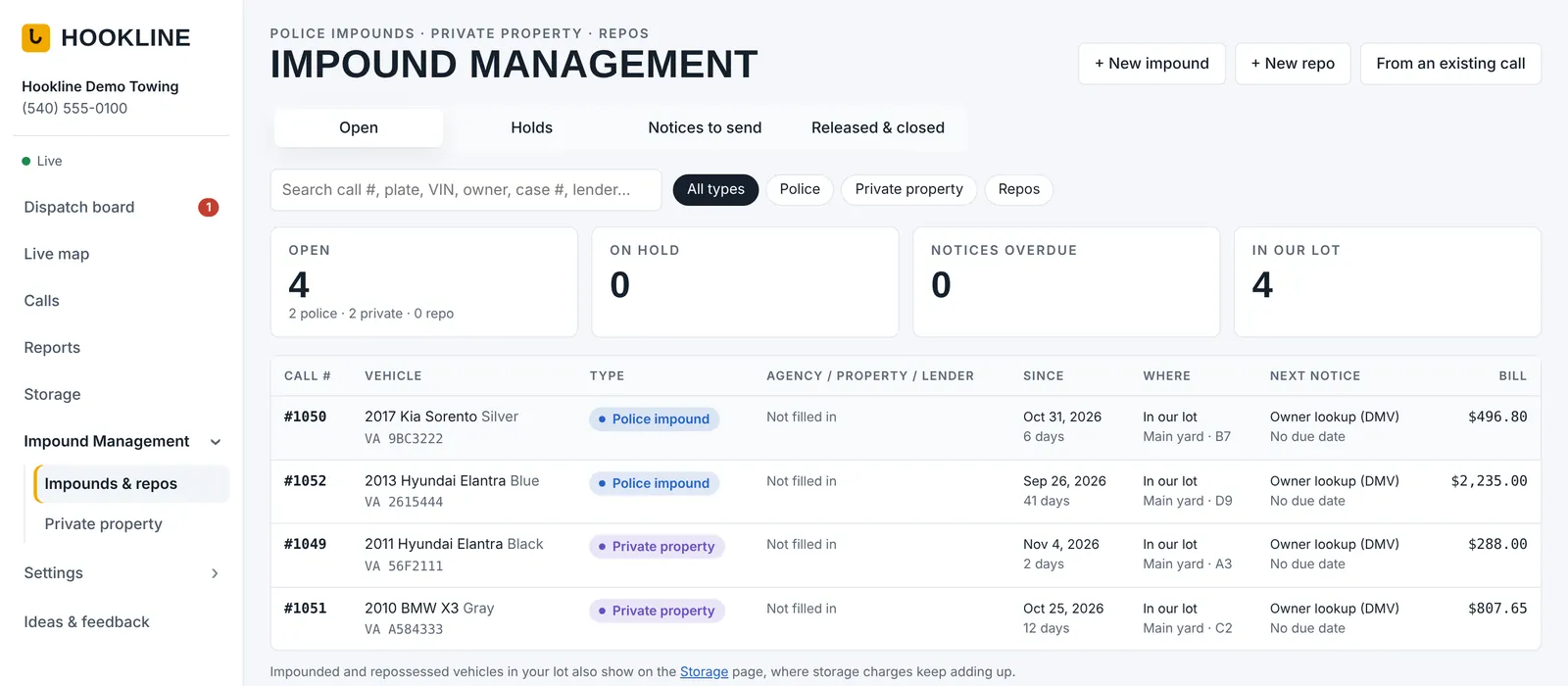
- Police impounds: agency, officer, case number, holds and police release forms
- Private property impounds: the property, who requested it and the authorization
- Private property enforcement built around your contracts: for each property, decide what happens for each violation. Fire lane: tow right away. No permit: sticker and tow after 24 hours. Guest overstay: warning only. The manager approves: you choose
- Enforcement days and hours, required photos and plates, and your own contract terms for every property
- Your own violation reasons, permit types and form fields: add, rename or remove them, and choose which fields show and which are required
- Import everything from a CSV or Excel file: properties, resident permit lists, and past stickers and tows
- Parking permits and authorized vehicle lists for each property, with guest passes and printable hang tags
- Plate checks from the driver app: check a plate, then sticker it, warn it or tow it on the spot, the way that property's contract says
- Tow alert emails: the property manager gets an email the moment a car is towed from their lot, with the vehicle, plate, time and where it went. Turn it on or off for each property, and add extra addresses
- Property manager portal on phone or computer, with your choice of what each manager can do: request tows only, see what was towed, manage permits, or approve tows
- Notice letters to owners and lienholders, with due dates, sent dates and tracking numbers
- One Impound window for each vehicle in your lot: type of tow, owner and lienholder, notices, documents and storage charges together
- Not in that business? Turn the whole section off
- ADD (Auto Data Direct): one-click DMV owner lookups and certified-mail notices Coming soon
Invoices & payments
Get paid faster
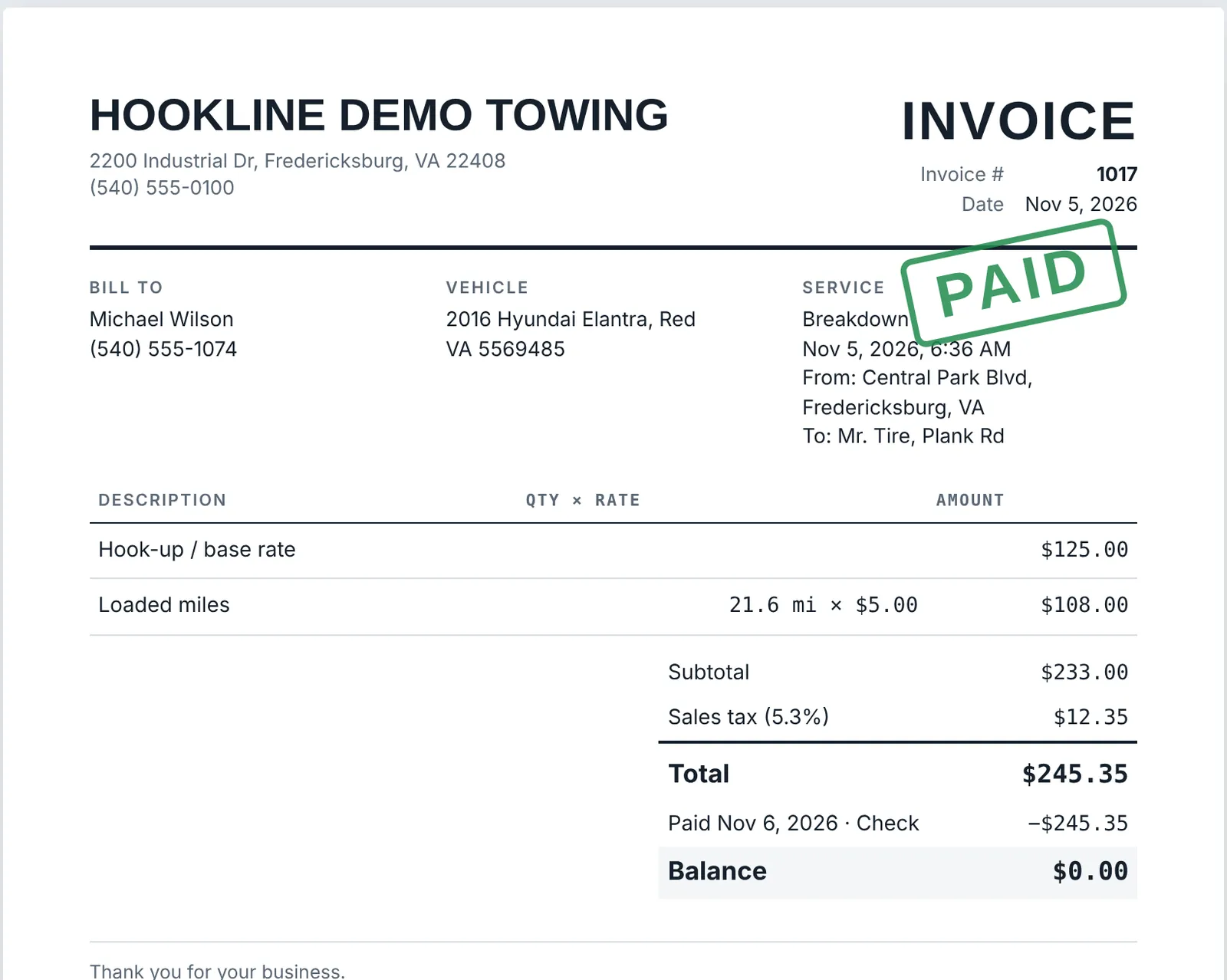
- Invoices and receipts with your name, terms and itemized charges
- Email them in one tap from your own email app, with a link customers can open, print or save as PDF
- Customers pay by card online: connect your own Stripe or Square account and every invoice gets a Pay now button; payments land in your account and mark the call paid
- Take a card payment, or text or email a pay link, from the call with one click
- Record cash, card, check, Zelle, ACH, motor club and insurance payments, plus refunds
- Paid, partly paid and unpaid shown on every call
- Print any invoice, receipt or call sheet
And everything else
Records
Proof for every job
- Signed damage waivers with damage notes, time and location
- Your own waiver wording; each signature keeps an exact copy
- Photos and documents stored privately per company
- Insurance company and claim number on each call
- Every change logged on the call's timeline
Team & security
The right access for every person
- Roles for owners, dispatchers, accountants and drivers
- Change what each role can do with a checkbox grid
- Usernames and temporary passwords; everyone sets their own on first sign-in
- Reset a password or turn someone off instantly
- Remove drivers and staff for good; their calls stay on your reports
- Clock in and clock out for drivers, dispatchers and office staff, with overtime
- Pay drivers by commission, by the hour, or both, with pay plans by service, duty class and account type
- Two-step sign-in for everyone with an email, with an authenticator app or an email code, and automatic sign-out on idle computers
- Dispatchers never see prices unless you allow it
- Each company's data is kept completely separate
- Nightly backups kept for 10 years: your calls, invoices, payments, impound records, photos, signatures and documents are copied every night to separate, locked storage. We still recommend keeping your own copies too, and Download all my records saves everything to your computer in one click
Team pay
Everyone sees what they've earned
- My pay for drivers in the driver app, and for office staff whose hours are tracked at the top of their dispatch menu
- This pay period at a glance: calls, hours with overtime, extras, payday, and whether it's been paid
- Drivers see how each call's pay was figured, like "25% of $250.00" or "$40 + 18 mi × $1"
- Extras: add bonuses, tips and reimbursements, or take off fuel, damage, uniforms and advances. Name your own kinds
- Weekly, every 2 weeks or twice a month, with your own payday
- Team pay page for the people you pick: everyone's period on one screen, mark it paid, save a pay statement (PDF)
- Drivers and staff can ask the office about their pay; answers come back in the app
- You choose, person by person, who sees team pay, who adds extras and marks paid, and who answers questions, and what My pay shows
- An overview, not payroll: amounts are before taxes, and Hookline doesn't calculate payroll taxes. Your payroll software has the actual figures
Reports
Know where every dollar stands
- Summary of calls, billed, collected and owed for any dates
- Revenue by account, by service and by driver
- Driver commission: what each call paid and which pay-plan rule paid it, marked paid when you pay out
- Print all invoices for any dates, each on its own page, or save each one as its own PDF
- Unpaid invoices aged 0–30, 31–60, 61–90 and 90+ days
- Payments received by method, and sales tax by month
- Driver response: how fast each driver taps Got it, and which calls were slow or missed
- QuickBooks export: customers, invoices and payments in files QuickBooks Online or Desktop imports, no connection needed
- Storage inventory and auction vehicles with sale results
- Filter by date, driver, truck, account, service, bill-to and payment
- Print any report or export it to Excel (CSV)
Works anywhere
Nothing to install
- Dispatch from any computer or tablet browser
- New features every week, bigger updates every month, automatically for everyone
- Ideas & feedback page: request a feature and follow it from “Planned” to “Released”
- Live updates: the board changes the moment a driver taps
- Make it yours: your own status colors, column order, light or dark mode, compact cards, street or satellite map
Switching is easy
Bring your history with you
- Import from TowBook, other tow software or your own spreadsheets (CSV or Excel)
- Trucks, drivers, accounts, past calls and vehicles in storage
- Columns are matched for you, with a preview before anything is saved
- Past calls keep their dates, call numbers, totals and payments, so reports start full
- Stored vehicles keep counting storage days from the day they came in
- Nothing doubles up, and any import can be undone in one click
Your account
Simple billing
- Add a card any time during your free trial; you're not charged until it ends
- Change your card, see invoices or cancel from Manage billing
- No contract, no cancellation fee